Iso-maze
The kid likes mazes. I trawled far and wide, and found the amazing Sean C. Jackson. His mazes are great, we print them, colour them, and even bought his book. But, all the maze apps and websites and everything… they… sort of suck? It feels like no one’s learned anything from Mr Jackson…
I’ve never done anything 3D, this is a recap of my various learnings. A mix of both the aesthetical and the technical aspects. This is a rather long post by my standards, hopefully the images provide some relief.
First, as I’m a newbie, so let’s stick with two shapes: boxes and spheres. Surely boxes and spheres must be enough for everyone? The maze will be made of boxes, what player character could be made of spheres? Yes, a snowman:
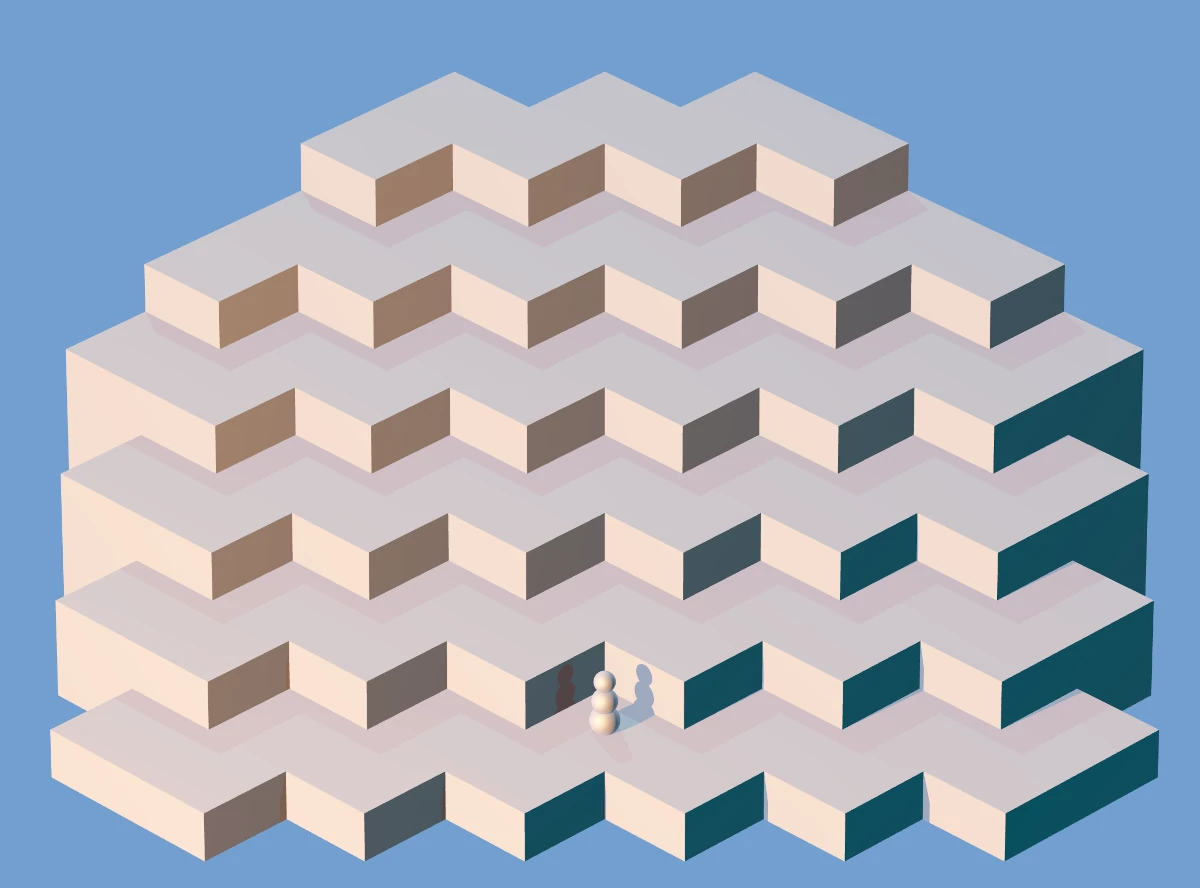
Honestly, I got lucky here. There’s three lights: darker blue from the right, shinier yellow from the left, and a neutral one from the above-behind. I really dig how this picture looked. Unfortunately it had some problems when the maze geometry got more complicated, so I abandoned this approach.
Next I added some stairs and a hat for the snowman to fetch:
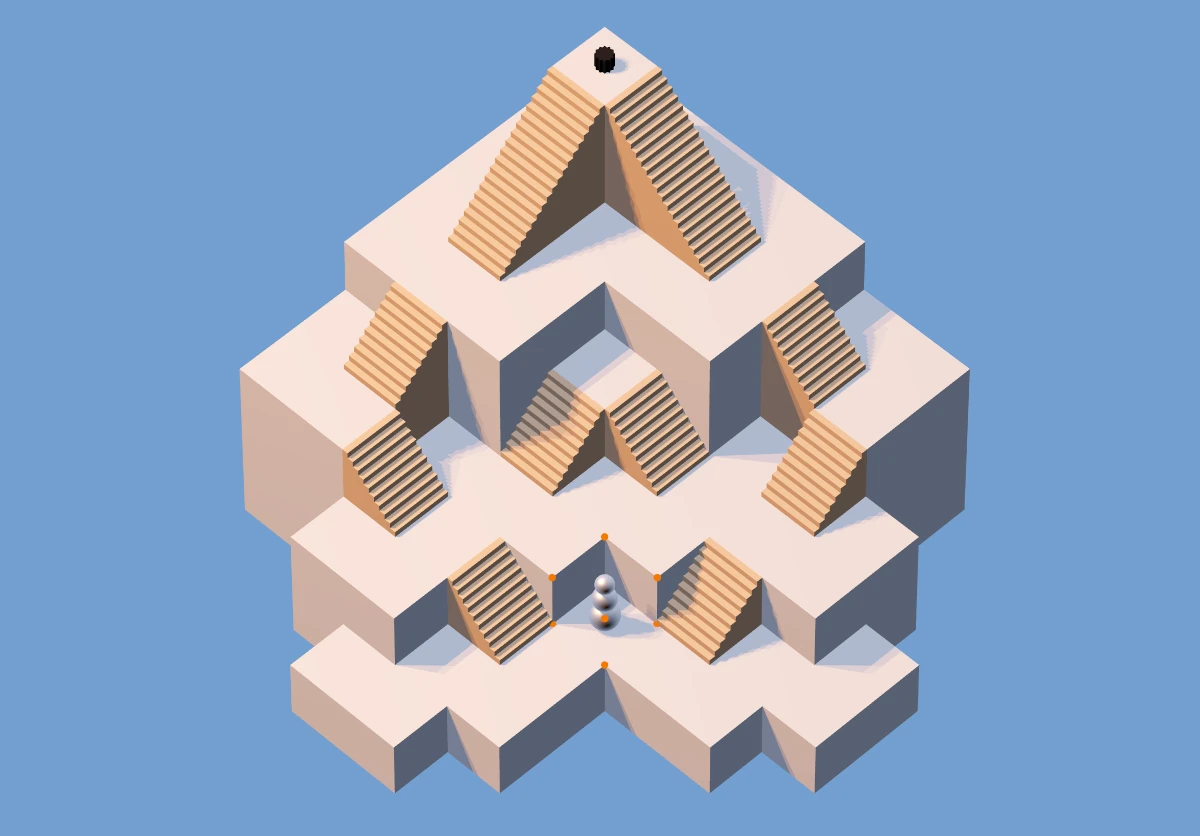
There was a misguided attempt at making the maze easier to comprehend and nicer by simulating soft shadows by placing three lights on the left side. As you can see, that didn’t work at all, on multiple levels.
Can you see the little orange spheres in the image above? That’s a maze editor, and we can edit and create mazes. The edited maze is encoded in the url parameters, so it can easily be shared. The above maze is encoded like:
?sz:9,9;off:-3,-3;st:0,0;end:4,4;mz:xxo2o2o3o3o3o3o3xxo2z3o3z4z5o5o3xo1s2o1o3o3o3s5o3o0o1o1o1z2o2o3s4o3o0o0s1o1o1s2o3o3o3xo0o0o0o1o1o1s3o2xxxo0z1o1z2o2o2xxxo0o0o1o1xxxxxxo0o0xxx
Which, formatted a little nicer, looks like this:
?sz:9,9;off:-3,-3;st:0,0;end:4,4;mz:
x x o2o2o3o3o3o3o3
x x o2z3o3z4z5o5o3
x o1s2o1o3o3o3s5o3
o0o1o1o1z2o2o3s4o3
o0o0s1o1o1s2o3o3o3
x o0o0o0o1o1o1s3o2
x x x o0z1o1z2o2o2
x x x o0o0o1o1x x
x x x x o0o0x x x
If you look from the bottom left side and squint a little, you can see the maze in there: x is nothing, o1 is a regular floor at height one, s, z, S, Z are stairs, and b is a bridge.
In certain mazes other than the sample maze, it was hard to tell where you can pass and where there’s a drop to a lower floor, so I added some railing to make it clear:
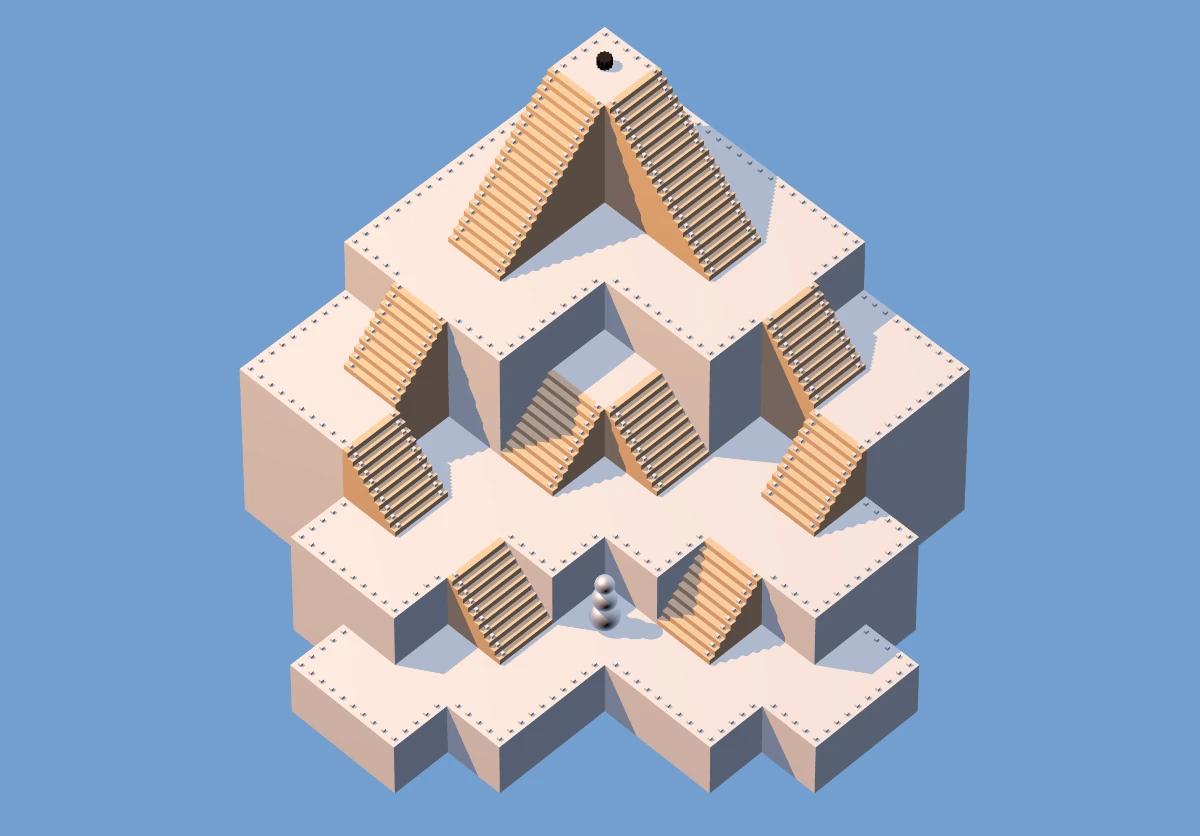
I felt that didn’t look great, but accomplished the goal. I made the shadows a little less pronounced and expanded the sample maze a little, to also show bridges and stairs which lead away from the camera:
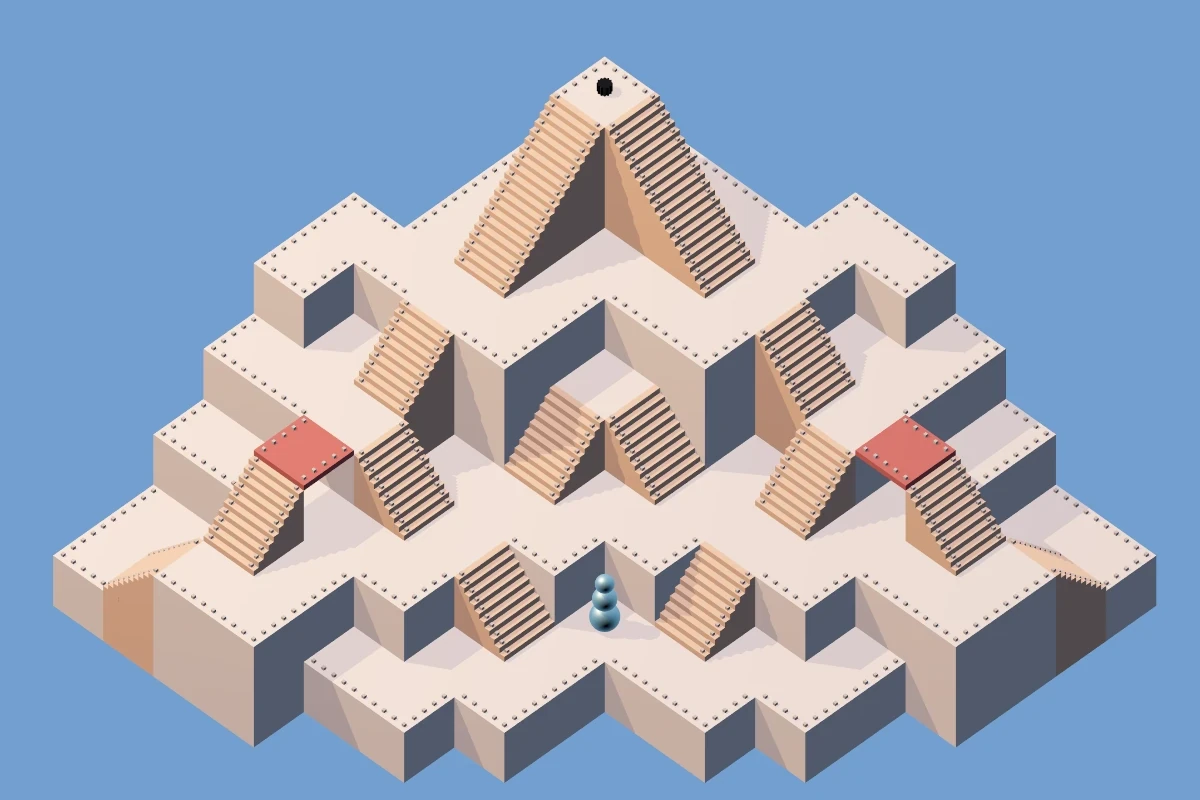
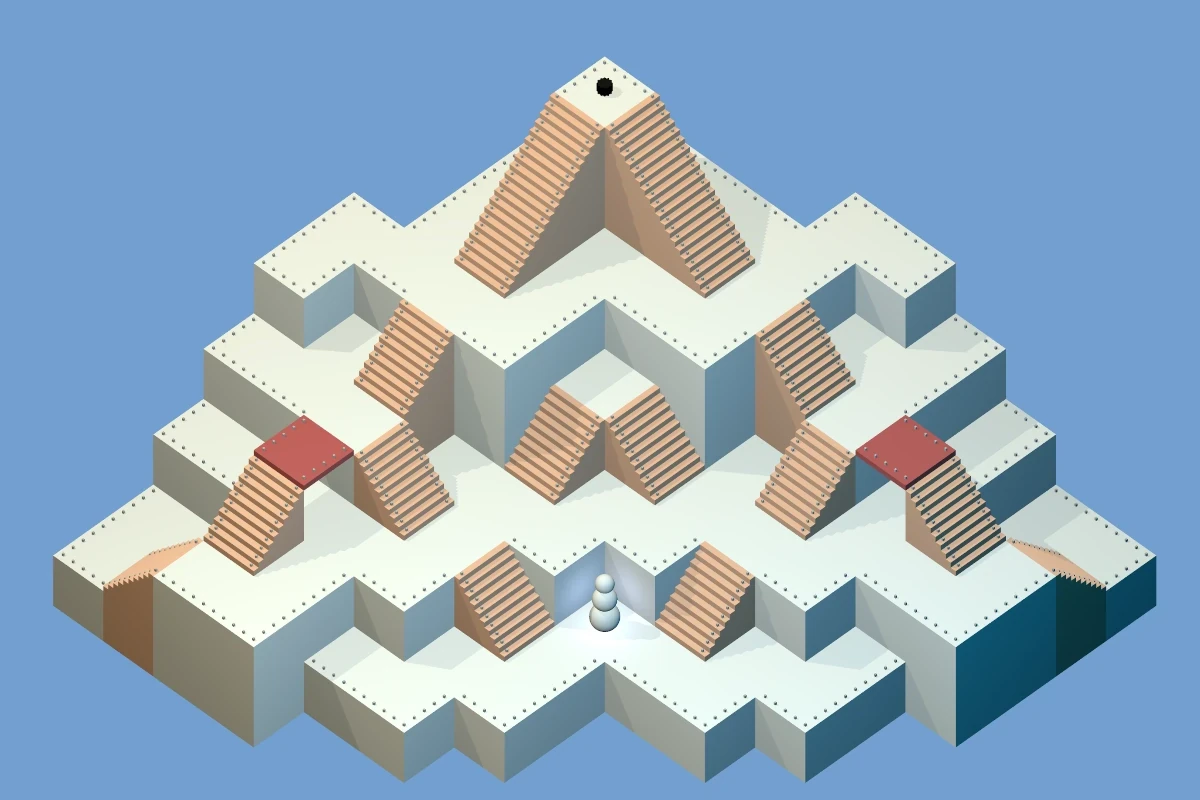
At this point, the whole thing is perhaps 1k lines of code in Elm, all hand-written code, using the elm-3d-scene library. Everything is procedurally generated. There are no animations – movement is jumpy. After playing endlessly with the lights and shadows and other settings, I end up with the following, which I think is about as far as elm-3d-scene can be pushed:
I have heard before about ambient occlusion. How hard could it be to add it to elm-3d-scene? Turns out: very. I look at three.js demos and drool uncontrollably. I talk it over with a LLM, some options:
- (The obvious) Stick with what we have.
- Bake the assets in Blender and load very nice ray traced mazes. This would require three things I’m not excited about:
- Learning Blender
- Creating the assets for each maze (so mazes can’t really be created nicely on the fly).
- Each of the users would have to load the assets. Looking at my small Steam library, I have a feeling “pre-baked” 3D assets take up a lot of ones and zeroes.
- Rewrite the whole thing to a different language. Which, for the love of god? I hate most languages!
- Stick with Elm, but use ports to send the data to JavaScript (and Three.js) to handle the display.
I find out about N8AO, and make a small demo page with three.js and postprocessing and N8AO. That was Autumn 2025, LLMs are getting better. I find out about Jules (docs here) and after setting up the basic harness, ask it to convert from elm-3d-scene into three.js, and it does a good job:
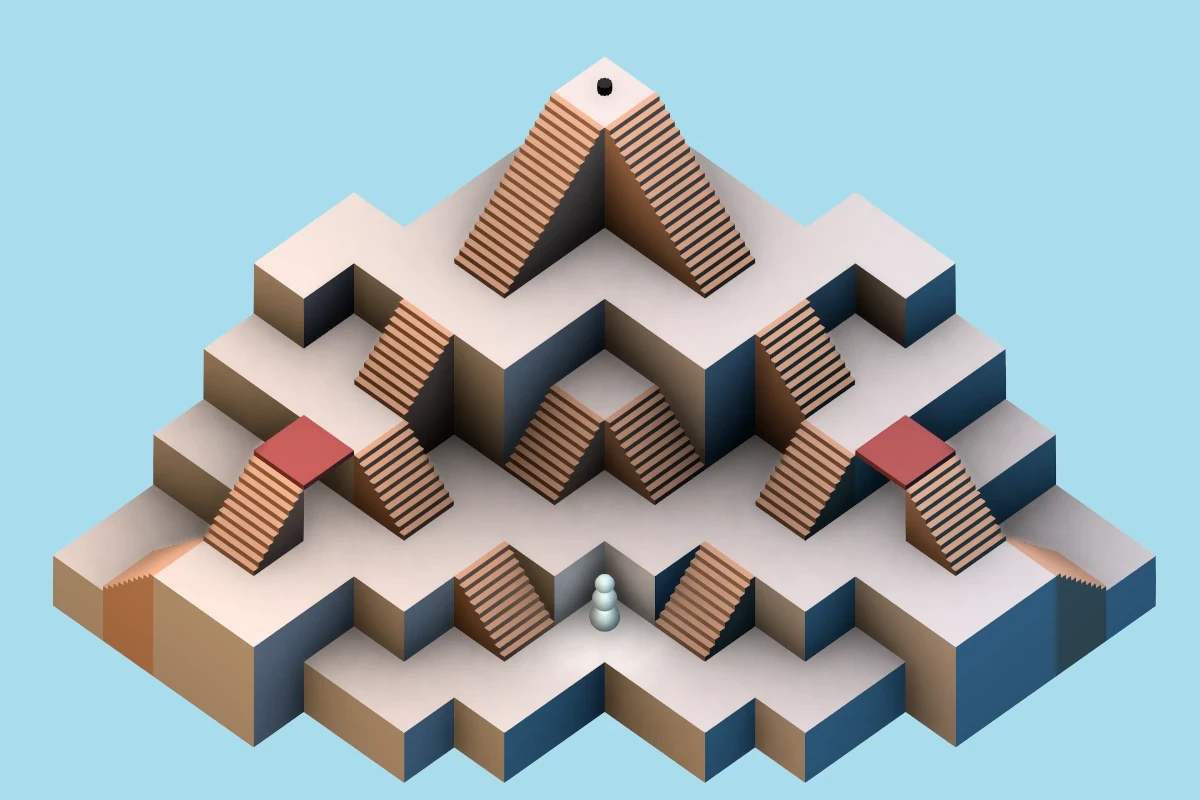
I had to add the N8AO pass and a couple other things myself, but in general, Jules managed to do the bulk of the translation work. I mean, look at the ambient occlusion! It is glorious! It was very easy to get rid of the railings…
Having had success with Jules, it’s mostly Jules from now on, with me relegated to:
- Lots of code review
- A little bit of code cleanup
- Some minor changes I feel confident about
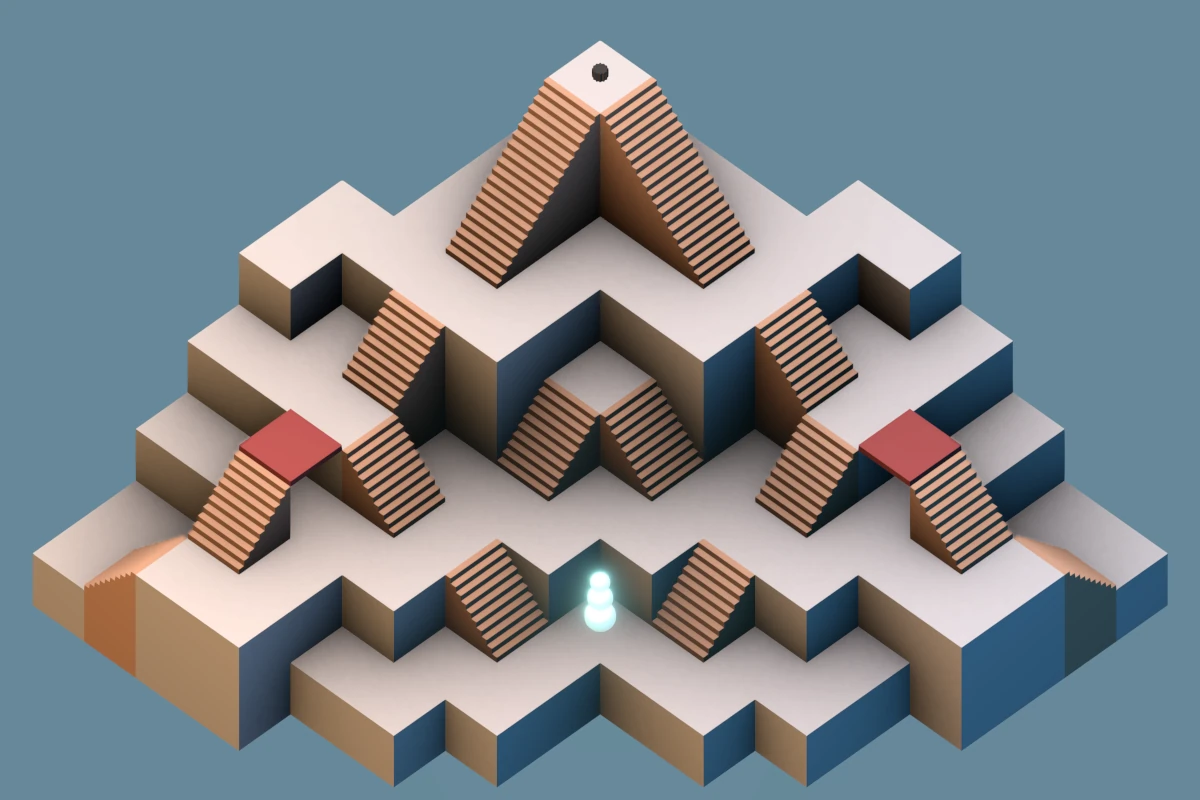
With Jules, we (Jules mostly) managed to:
- Rewrite the display logic to JavaScript
- Rewrite most of it back to Elm, so JS is kept to a minimum.
- Add touch controls (a joystick)
- Add animations for the snowman and the hat
I cheaped out on the kid’s tablet, so the animations were super slow, like 1 frame per second, and extremely janky. I tried to make it faster in any which way, worsening N8AO parameters on the fly based on frame rate, but nothing worked at all (save for turning N8AO off). I knew all along that several render passes were the way to go, but wanted to avoid this, as it felt it’d be too much hassle. Spoiler: it was! So now we have two render passes:
- A “static” pass that’s super slow and renders the maze and does the ambient occlusion and antialiasing and only runs whenever the maze changes (so, only when editing: when running the maze, it only renders once at the very start).
- A “dynamic” pass, that’s rather quick and renders the things that animate: the snowman and the hat. I’d tried adding some light above the snowman, and it was really not looking good with the dark corners and the N8AO, now with the two passes the snowman can just shine and bloom and I think it looks super good.
Now we have 2k lines of code, of which only 250 lines of JavaScript. It’s reasonable. And yes, there are parts I only glossed over and am not entirely sure how they work.
[Edit:] As of 2026-03-07 this is now playable with 18 mazes. It runs in the browser, no need to install anything. You might still want to install it as PWA on mobile to get full-screen.
No thoughts on “Iso-maze”
Add your comment — How does this work?