Solar v2
I’ve previously tweaked Solarized to my tastes. I feel that was a pretty clearcut improvement. This attempt is a lot braver:
- Light and dark versions that both work.
- Slightly higher contrast, both between the colours and with the background.
- Warmer shades of gray, yay!
- More custom colours (hijacks the colour cube 😱).
Light
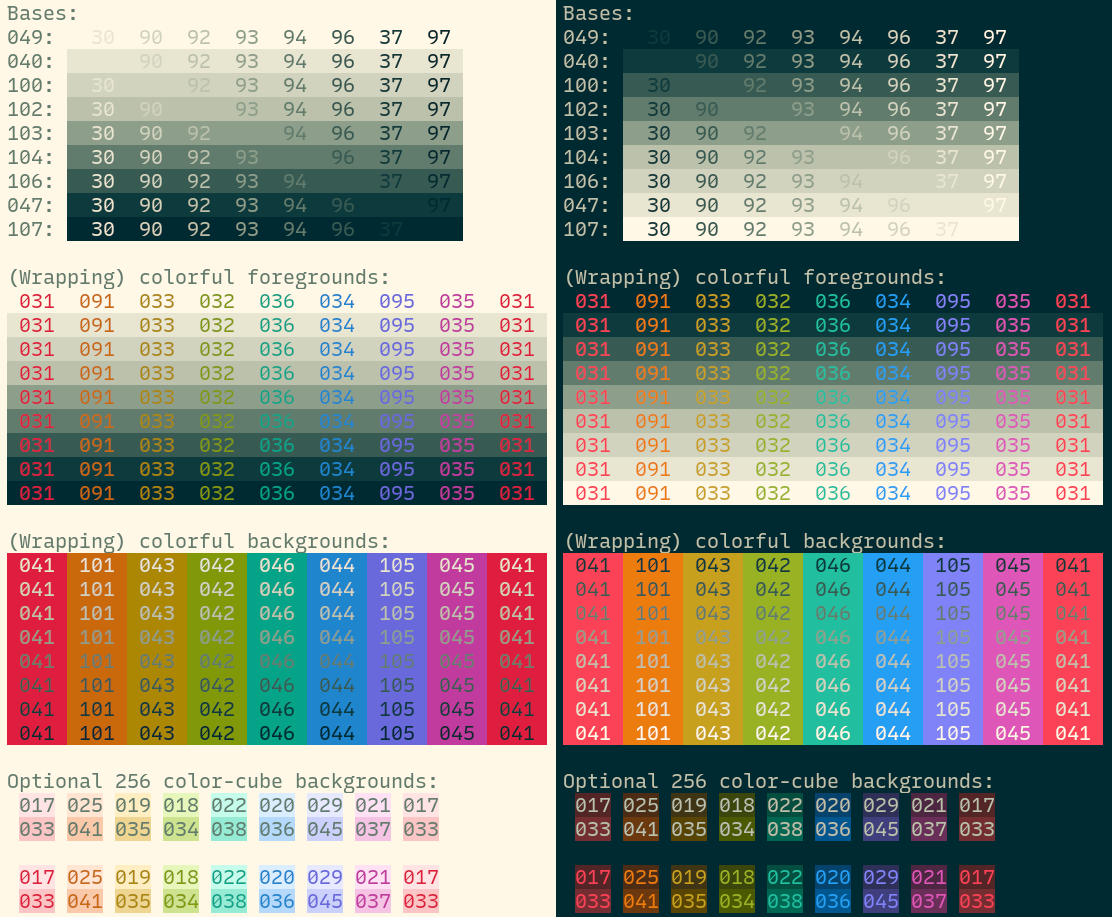
Shades of gray, colours, optional backgrounds, and even more optional hi-vis backgrounds:
Dark
Interested in exploring the colours in OKLCH?
The following are snippets you can paste to Huetone. Dark-to-light and light-to-dark backgrounds:
The various colours:
Why?
I like the feel of the original Solarized colour theme. I just wanted more and better:
- Slightly better separation of colours. The original had red and orange right next to each other.
- Slightly higher contrast. It’s impossible to have good contrast when the colours are the same on both the dark and light backgrounds.
- Coloured backgrounds. For like git history & stuff?
Why not selenized?
Selenized has had a lot of work put into it. However: I don’t like the green (too cold), and I did miss the orange and the purple. Yes it’s good to preserve the semantics of terminal colours. Had I not already worked around Solarized hijacking the “bright” colours, I would’ve preferred this.
What?
- The “authoritative” colours are in the OKLCH colourspace, view source here or see GitHub. The hex colours are displayed for your convenience.
- Kitty themes: light and dark. They hijack parts of the colour cube (colours 16-231) to provide coloured backgrounds.
- A relatively short Vim/Neovim theme supporting Tree-sitter, Vimwiki, and some other stuff I use. Requires a true color terminal with
set termguicolors.
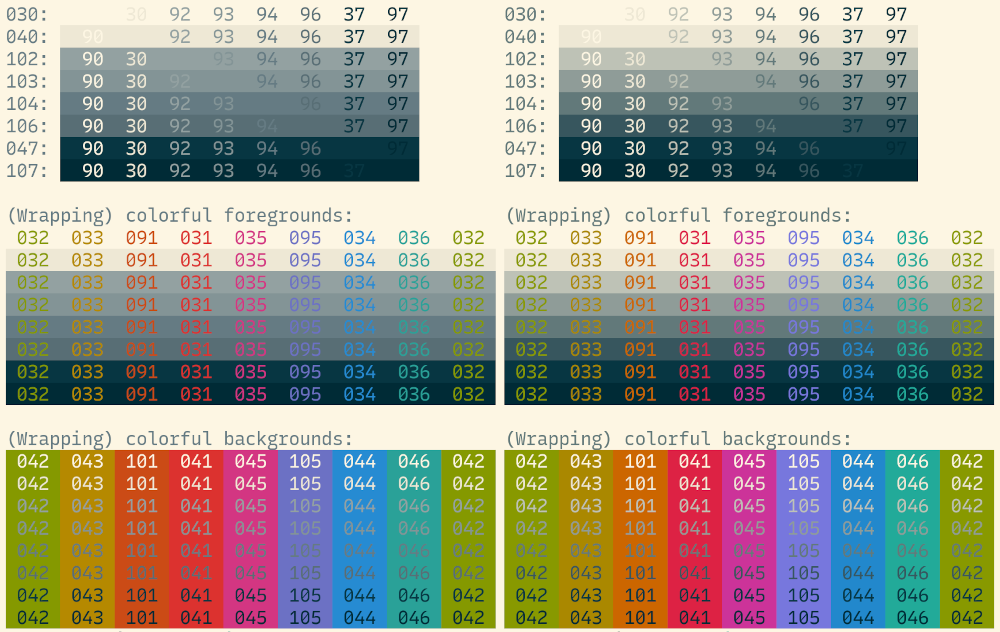
The original Solarized (left) and my previous improvements (right):
And these new ones, light (left) and dark (right):
No thoughts on “Solar v2”
Add your comment — How does this work?